
You’ve Made ADUs Possible. Now Make Them Accessible.
Give residents a simpler way to explore local ADU opportunities, with property-based information, interactive planning tools and municipality-approved resources.
Builder-neutral · staff keep authority over every determination · preliminary results clearly labeled
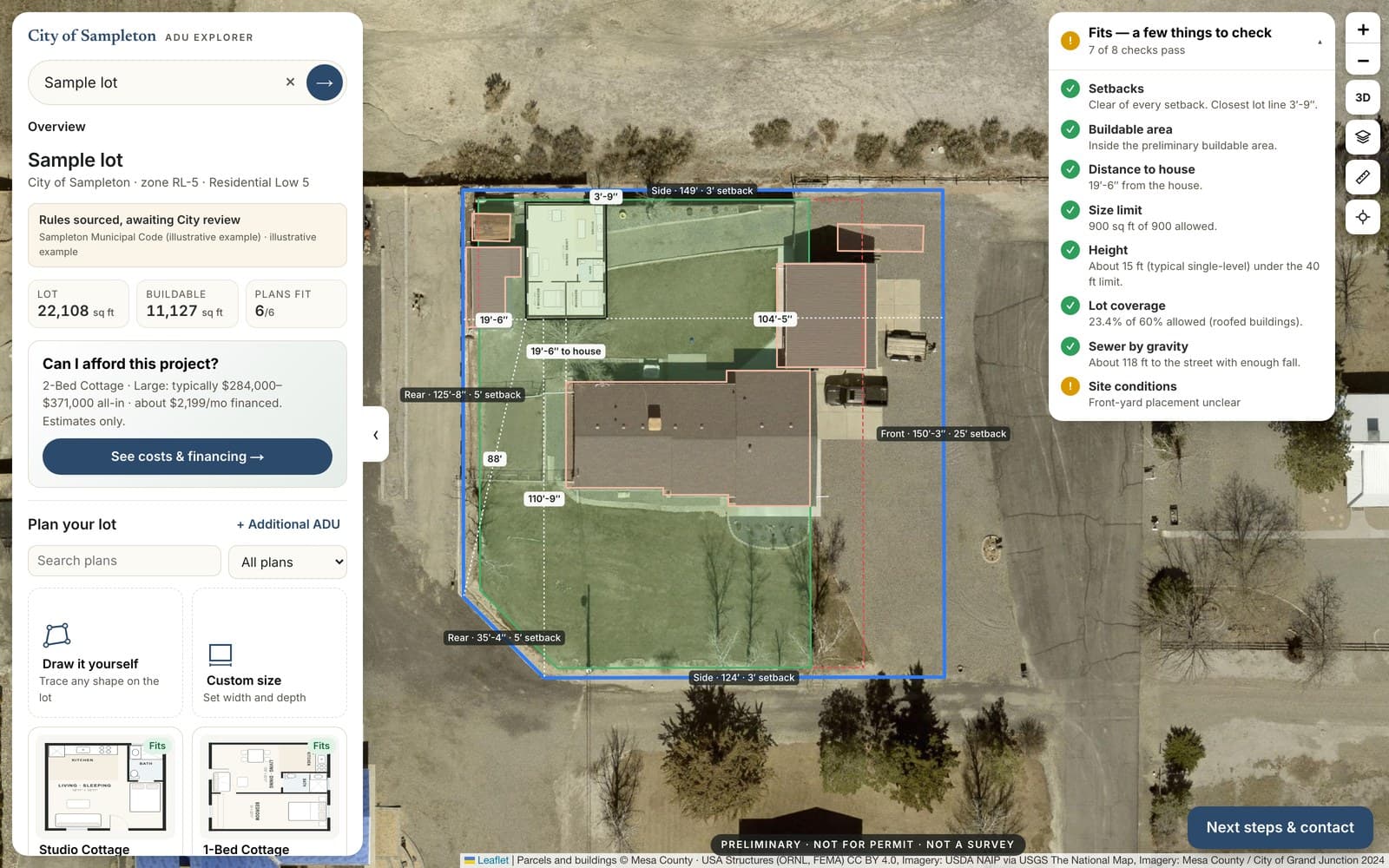
Your code, applied to the resident’s own lot.
You adopted ADU rules to add housing. Residents still have to find the right code section, work out their setbacks and guess what fits. The portal does that work in plain language, and sends them to you ready for a better conversation.
- Fewer “can I build one?” questions that start from zero
- Residents arrive knowing their zone, their limits and what to bring
- Your stock plans and guidance in front of the people who need them
- The same information for every resident, in every neighborhood
Staff keep authority. Municipal staff retain authority over zoning interpretations, approvals and permit decisions. Every portal screen and report says results are preliminary and tells residents how to confirm with your office.
Your next step, your way. The portal ends with the step your city sets, whether that’s a planning-counter visit, a pre-application meeting or an online submission.
Enter an address. Understand the rules. See what fits. Know the next step.
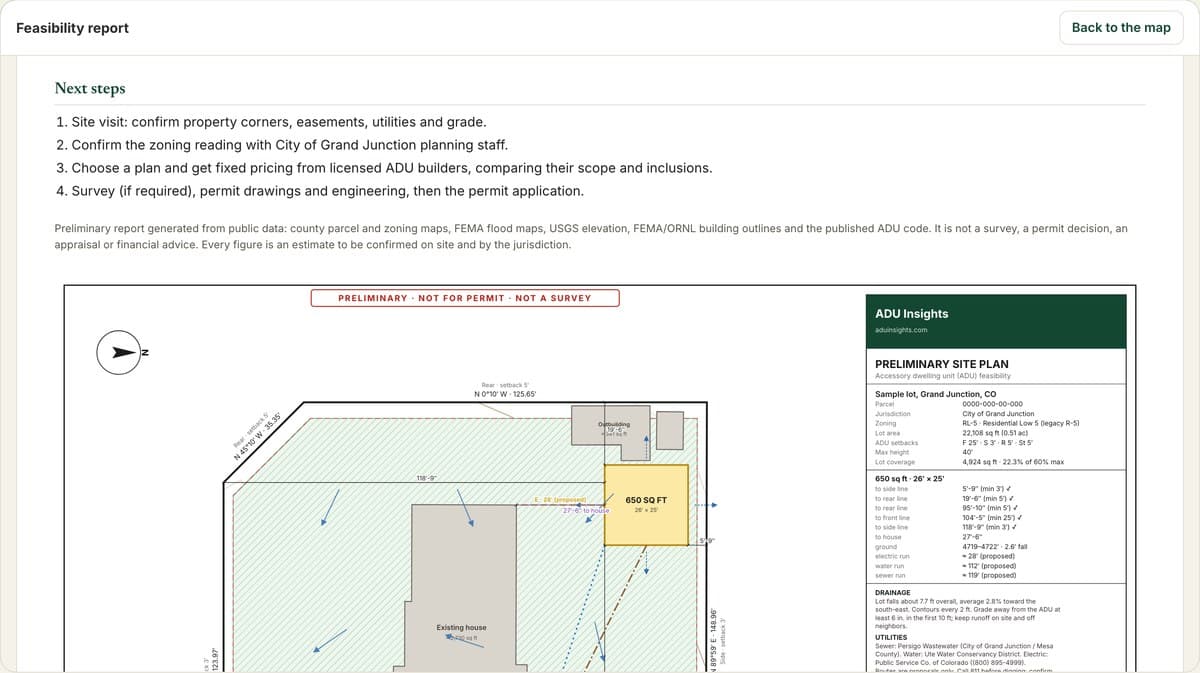
Illustrative example: a fictional city name over a real sample lot.
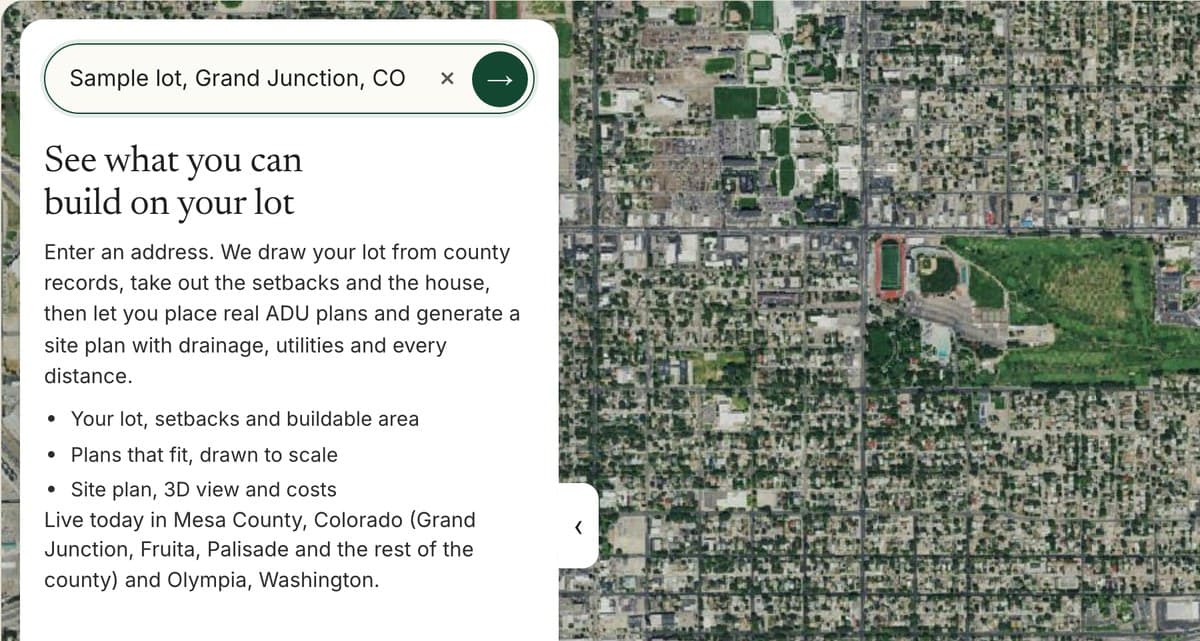
Enter an address
Any address inside your boundary.
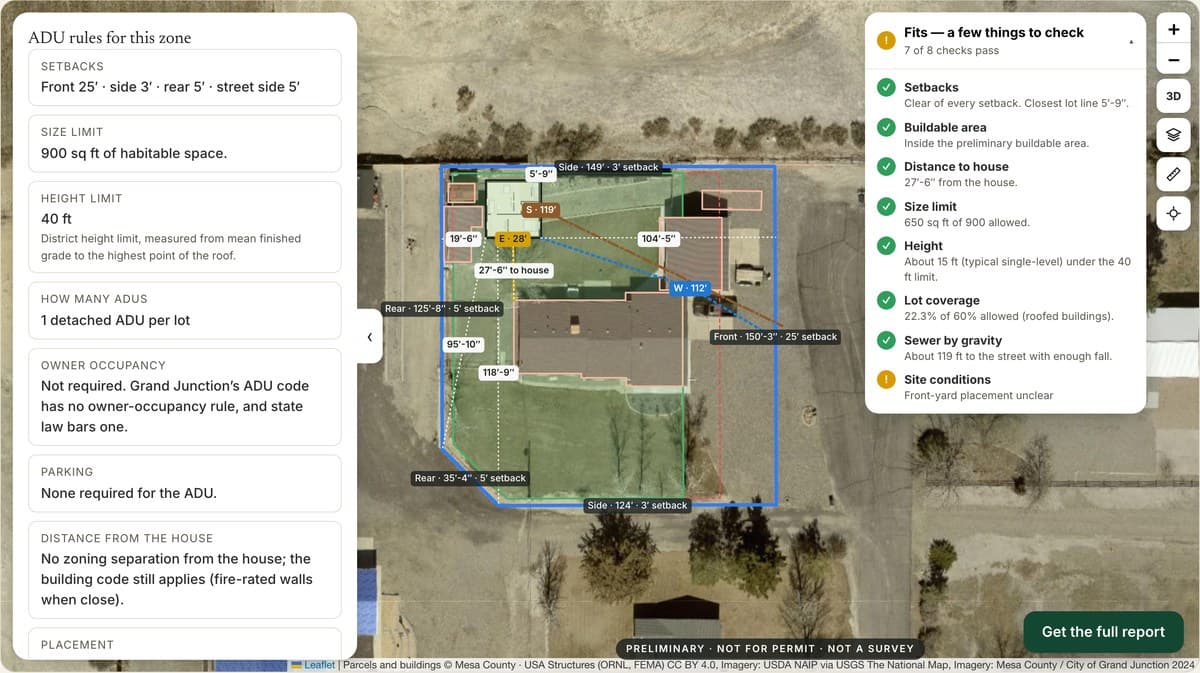
Review the guidance
Zoning explained and sourced to the adopted code.
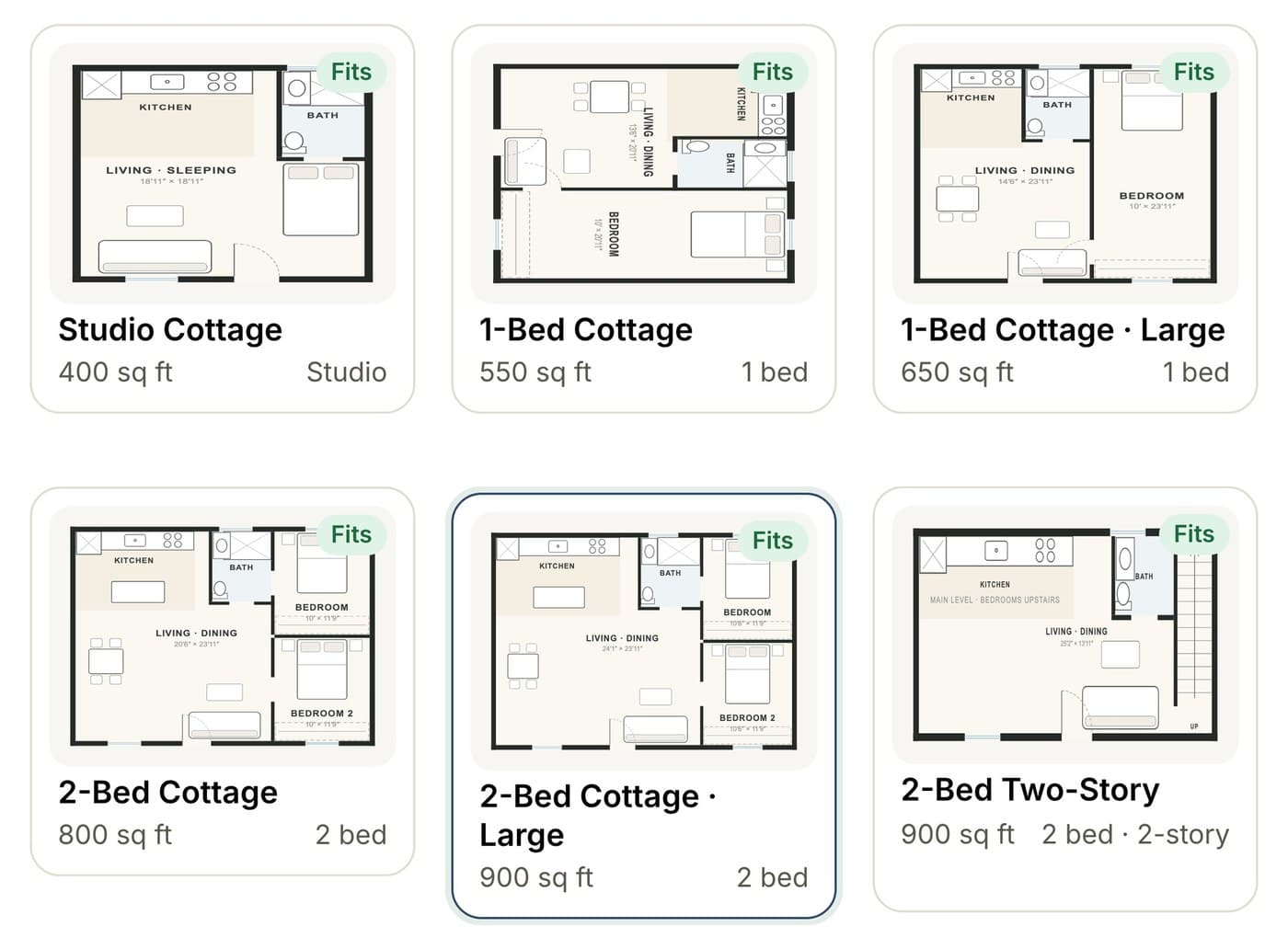
Preview a stock plan
City plan types placed to scale on the lot.
Get the next step
Links to your permitting resources and office.
The city controls the information. No builder is favored.
- No builder names, ads, rankings or sponsored placements
- No “contact a builder” path, and no resident information passed to any builder
- Neutral plan types (Studio, 1-Bed, 2-Bed) or your own approved plans
- Approval indicators only for plans your city has actually approved
- Enforced in the database, not just the design: a municipal portal cannot store leads
Built from your sources, with the date on every rule.
Parcels and zoning
Read live from your GIS services, so lot lines and districts match your own maps.
Ordinances
ADU rules written from your adopted code, with the section cited and the date checked. Staff review before launch.
Stock plans
Your pre-approved plans placed to scale, with their approval status shown only where it’s real.
Hazards and utilities
Flood, wetland and wildfire layers, plus sewer and water service where you publish it.
Your guidance
Handouts, fee schedules and checklists can be linked at the moment a resident needs them.
Update cadence
Every rule shows the date it was checked. When your code changes, we update the rules and your staff review them.
From first call to launch.
Each phase ends with your staff’s review. Purchasing thresholds and methods vary by jurisdiction; we work within yours.
Discovery
Your program, your goals and your residents’ common questions.
Data review
GIS services, adopted code and stock plans.
Customization
Your name, colors, next step and resources.
Pilot and testing
Staff test real addresses before the public does.
Staff review
Rule-by-rule sign-off.
Launch
Linked from your ADU program page.
What we’ve built, and what each city gets before launch.
Privacy
No resident account needed to explore, and a data-use notice on every portal. Retention and records settings are agreed with each city. Privacy policy.
Security
Database-level separation between customers, rate limits, encrypted connections. An independent penetration test precedes the first municipal launch.
Accessibility
Designed toward WCAG 2.1 AA; a third-party audit and a non-map workflow are part of each launch.
Ownership disclosure. ADU Insights is owned by Origin ADU, a design-build ADU company. Its owner also co-owns God’s Country Development, which builds ADUs in Grand Junction and Mesa County. We disclose this in every municipal agreement, and the portal is built so that no builder receives preference or resident information.
Walk through it with an address in your jurisdiction.
A 30-minute call for planning, housing or IT staff. We’ll show the resident experience, how your code and plans would be incorporated, and how review and approval work.
Prefer email? hello@aduinsights.com
What cities ask first
Does the portal make zoning determinations?
No. It shows a preliminary, illustrative read of public map data and your adopted code, labeled as such on every screen and report. Staff retain authority over interpretations, approvals and permit decisions, and the portal tells residents how to confirm with you.
Is it neutral between builders?
Yes. The municipal version shows no builder names, ads or rankings, has no “contact a builder” path and cannot collect leads for anyone; the database refuses lead records for a municipal portal. A referral directory appears only if your city supplies one, in neutral order.
Where do the rules and data come from?
Parcels, zoning and hazard layers come from your own GIS services and federal datasets. ADU rules are written from your adopted code, with the section cited and the date checked. Your staff review the rules before launch and whenever the code changes.
Can we use our own pre-approved plans?
Yes. Stock or pre-approved plans can be added with neutral labels, placed to scale on a resident’s lot. Approval indicators appear only for plans your city has actually approved.
What about accessibility?
The portal is designed toward WCAG 2.1 AA: keyboard operation, labeled controls, readable contrast and reduced-motion support. A third-party accessibility audit and a non-map workflow are part of preparing each city’s launch.
Who owns ADU Insights?
ADU Insights is owned by Origin ADU, a design-build ADU company; its owner also co-owns God’s Country Development, which builds ADUs in Grand Junction and Mesa County. We disclose this in every municipal agreement, and the municipal portal is built so no builder, including those, receives preference or resident information.