
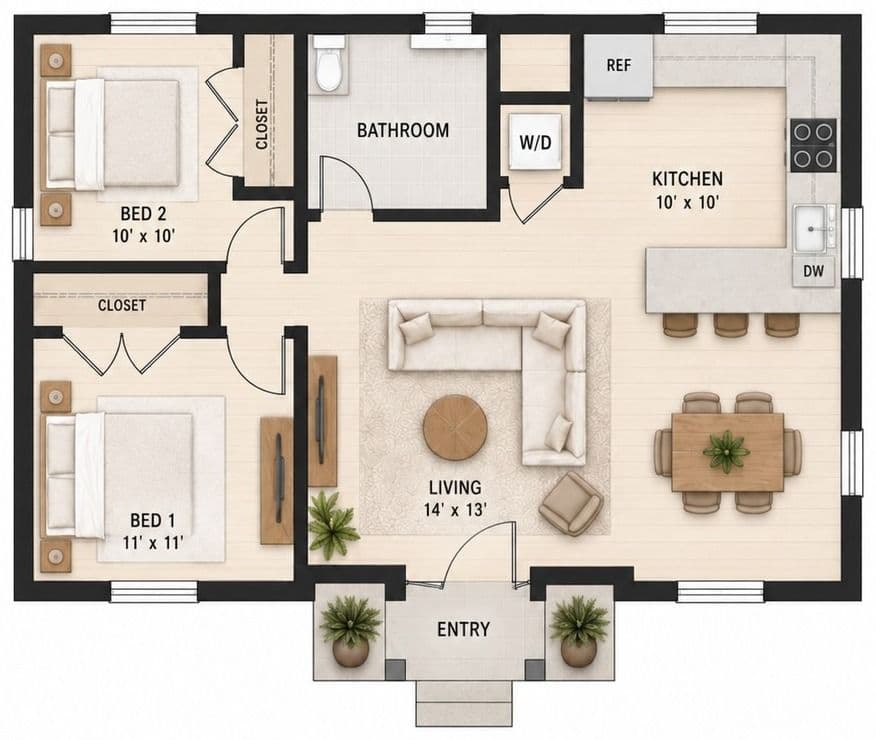
A preapproved ADU plan library stays useful when each listed plan has a named owner, a version tied to its approval record, a trigger for review when codes change and a clear statement of what still needs site review. It is a continuing program, not a one-time upload. Residents need to know which plan version is current, and staff need a manageable process for updates, corrections and retirement.
Preapproved and standard-plan programs differ from state to state and city to city, and some states now require or encourage them. The specific rules for approval validity, fees and site review change based on jurisdiction, so treat the examples here as illustrations rather than a template.
The strongest library makes the approval record easy to understand while preserving the reviewing authority's role. It should not imply that selecting a plan guarantees approval on an individual parcel.
Assign ownership of the preapproved ADU plan library
Name the staff role responsible for the public listing, the technical approval record and communications with plan owners. Those roles may be held by different people, but the handoffs should be explicit.
Establish how changes in code, policy or plan ownership reach the program administrator. A gallery that relies on an individual remembering to check every file will become difficult to maintain as the number of plans grows.
Keep public presentation and approval evidence connected
Each listing should point to a record containing the model name, plan version, approval identifier, approving authority, applicable conditions, contact and review status. Publish enough information for a resident to identify the correct package without exposing restricted records.
Do not let a refreshed rendering conceal an outdated technical plan. The public image and downloadable documents should identify compatible versions.
Define the boundary of preapproval
Explain which building information has been reviewed and which site conditions remain. The Los Angeles standard-plan checklist is a local example of site-specific material accompanying an approved building plan.
Avoid a single badge that conflates plan approval, geometric placement and parcel eligibility. Residents should be able to distinguish “listed plan,” “approved version” and “requires site review” without reading a technical manual.
Review the library when governing requirements change
The City of Cupertino's program states that master plans need updating when the city adopts new building codes, building policies or zoning updates. That is an example of a local maintenance rule, not a universal policy for every jurisdiction.
Your program should establish its own legally reviewed triggers and process. Identify affected plans, notify the responsible parties, record review status and decide how public availability will be handled during the transition.
Keep a log of what changed and who approved publication. Preserve records according to the jurisdiction's requirements rather than simply deleting old files.
Keep access neutral and the terms visible
Use consistent listing fields and explain the difference between city-provided plans and privately licensed designs. Show where residents obtain the actual package, what restrictions may apply and who answers design questions.
Do not imply a preferred-builder relationship unless the program actually has an authorized structure that supports that representation. A plan's inclusion should not silently become a commercial endorsement.
Review image and document rights before publication. Public display permission does not necessarily authorize unrestricted modification, redistribution or use of a privately owned design.
Make the library usable beyond the thumbnail
Provide meaningful descriptions, accessible documents and a clear next step. Let residents understand basic layout and intended use without relying on a decorative rendering. Include an alternative assistance route for people who cannot use a map or downloaded drawing.
Test the journey from selecting a plan to locating the correct site-submission instructions. If residents repeatedly download an obsolete file or contact the wrong office, fix the workflow before adding more plans.
See it set up with your code
A resident ADU portal built from your adopted ordinance, parcel data and next steps, reviewed by your staff before launch.
What an experienced ADU builder checks in a preapproved plan
Builders are often the heaviest users of a plan library, and the questions they ask on the first call show where a listing is unclear. From the builder side, these are the items checked before recommending a library plan to a homeowner:
- Which code edition the plan was approved under. If the jurisdiction has adopted a newer code, a builder needs to know whether the plan has been updated or will need revisions at submittal.
- What site-specific documents are still required. Site plan, drainage, utility routing, energy compliance, structural items tied to soil or slope, and fire requirements are common open items. A list on the listing page saves a phone call.
- Foundation assumptions. Builders check whether the plan assumes a level site and a specific foundation, because a sloped or poor-soil lot may need engineering that the preapproval does not cover.
- Allowed modifications. Can the plan be mirrored, rotated or given a different exterior finish without losing its status? A short written list of allowed and disallowed changes prevents rejected submittals.
- License terms and plan-set access. Builders need to know who supplies the construction set, any fee to the designer and whether the set can be reused on more than one lot.
- Fire, wildfire and climate-zone limits. Some plans are approved only for certain zones, such as non-wildfire areas or particular energy climate zones. State those limits on the listing.
- Review timeline and what is actually faster. If the program shortens review only for the building portion, say so, so builders and residents set realistic expectations.
When staff keep these fields current, builders can steer homeowners toward plans that fit their lots, and the review office receives fewer incomplete applications.
Retire a plan without creating a dead end
When a version is no longer available for new use, explain its status and direct residents to current options or staff. Determine how in-progress applications are handled under the applicable rules; do not invent a blanket transition promise.
Keep the stable public page where useful, with an accurate status, rather than breaking every existing link. Coordinate records, technical review and web publishing so the change reaches all relevant surfaces.
Discuss the maintenance workflow in the pilot
Use ADU Insights' existing portal-setup article for the broader implementation context. Request a municipal demo with a small sample of current and retired plans so staff can evaluate version handling before a public launch.